Buy once
Pay €14.99 with secure Stripe checkout. No renewal, the license never expires.
RPG Map Editor for Windows & Linux
The Offline Edition is the complete RPG Map Editor as a desktop app. Projects and custom artwork are saved on your computer, it works with no internet connection, and it’s a single €14.99 purchase — no subscription.
Windows 10/11 installer · Linux AppImage and .deb · one active device, transferable
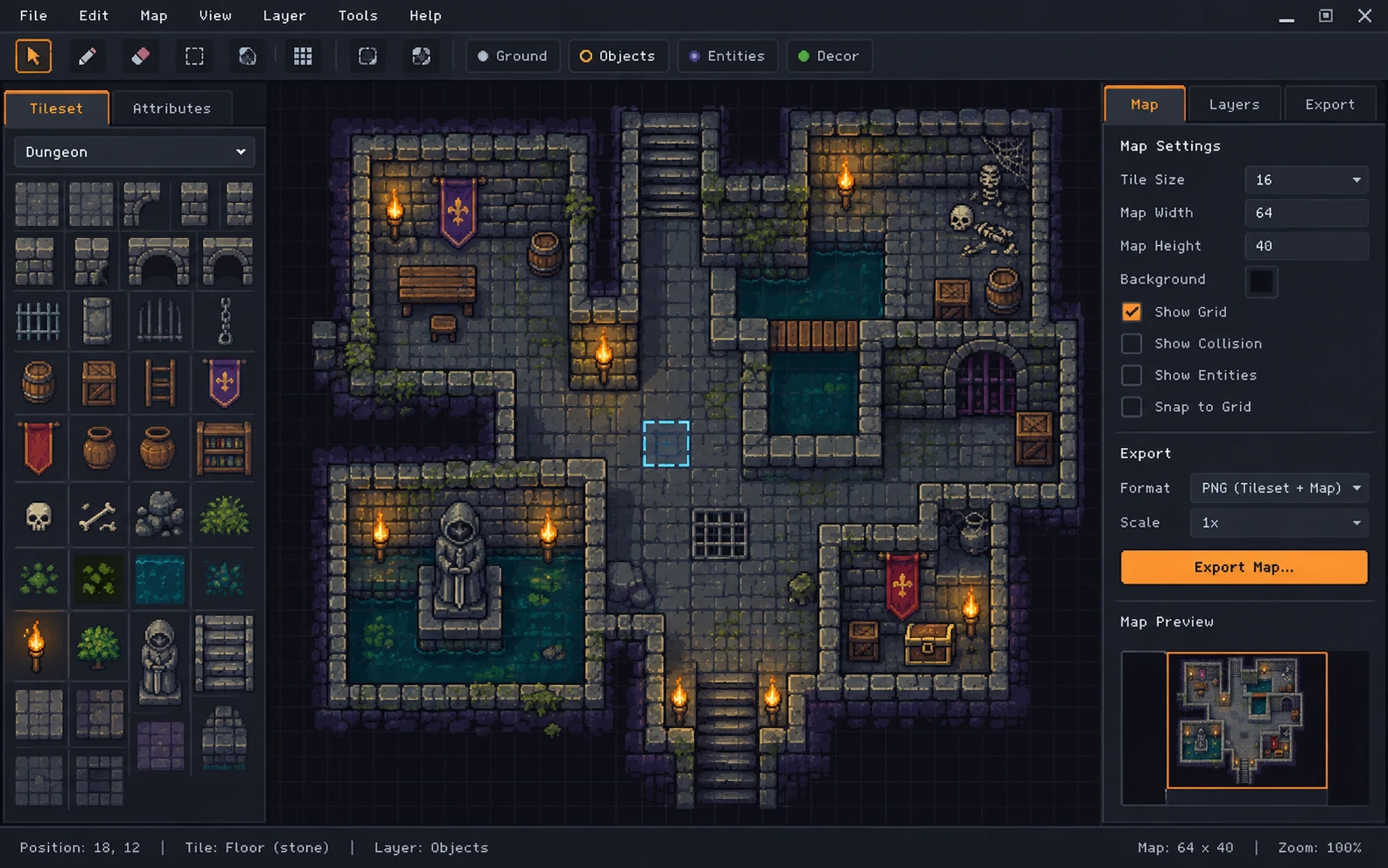 PNG · PROJECT FILES · WORKS OFFLINE
How it works
Your purchase lives on your RPG Map Editor account, so you can always re-download the installer or move your license to a new computer.
Pay €14.99 with secure Stripe checkout. No renewal, the license never expires.
Download the Windows installer, or the AppImage / .deb for Linux, from your Offline Edition page.
Copy the app’s Device ID, download your license file, import it. The app never needs the internet again.
Online Edition · subscription
$3/month
Cancel anytime · no install
Create an account, then secure checkout by Stripe.
Offline Edition · one-time
€14.99one-time
No subscription · license never expires
Installers are being finalised. Checkout opens at release.
Looking for the Microsoft Store listing? The Windows Store companion ↗ opens the Online Edition. Microsoft does not sponsor or endorse RPG Map Editor.
Before you install
Yes. The Offline Edition is a desktop app for Windows 10/11 and 64-bit Linux (AppImage or .deb). It is a one-time €14.99 purchase and works without an internet connection after a single activation.
Both are the same editor. The Online Edition is a subscription that runs in your browser with a cloud library and share links. The Offline Edition is installed on one computer, saves projects to your disk, and never needs to go online after activation.
No. You pay €14.99 once and the license never expires. You can move it to a new computer from your account at no extra cost.
Yes. Export a PNG and upload it to Roll20 or use it as Foundry VTT scene art, then configure walls, lights, doors, and tokens inside the VTT.
Yes. The Online Edition runs in any modern desktop browser with no install. Your campaign library and exports stay available wherever you sign in.
Ready when your table is.