
Terrain brushes
Block out floors, water, grass, and cave edges fast so your encounter space exists quickly.
Example fantasy, dungeon, and battle maps you can create for tabletop RPG sessions and VTT encounters using RPG Map Editor.
Quick answer: This showcase lists example RPG Map Editor outputs—battle, dungeon, and fantasy scenes—with rough build times and VTT-oriented notes so you can judge readability before you sign up. Each card calls out map type, grid intent, export format, and the tools used so you can mirror the workflow.
Images are curated marketing samples for common encounter archetypes. Each card lists map type, use case, rough build time, grid intent, export format, and tools so you can mirror a realistic workflow in RPG Map Editor. Build times are estimates—your session will vary. We do not claim a pixel-level session recording for every asset; verify results in your own editor before publishing maps as originals.
Each example links to the most relevant map-maker page and a signup CTA so you can recreate the archetype.
Designed for grid clarity, readable cover, and fast session prep.
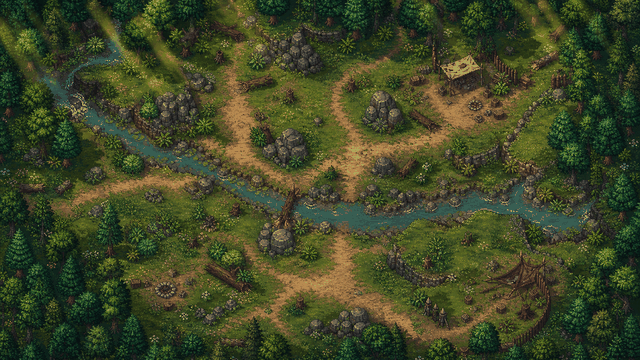
A quick outdoor encounter with trees, cover, and a clear combat space for ambush scenes.
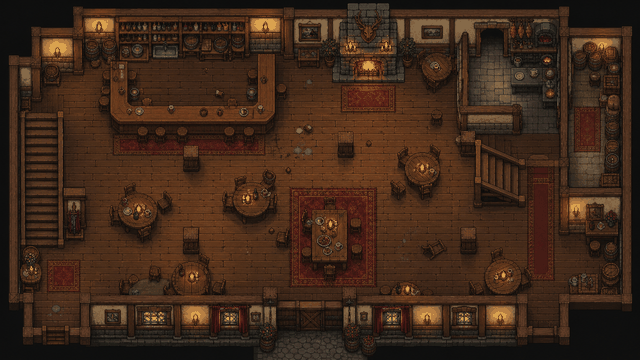
Tables, a bar, and readable movement lanes for social scenes that can turn tactical fast.
Useful dungeon maps prioritize navigation, encounter pacing, and reveal control.
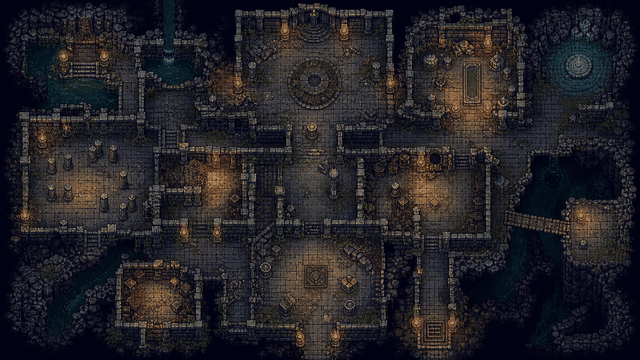
A compact ruin layout with chokepoints and readable room boundaries for quick dungeon delves.
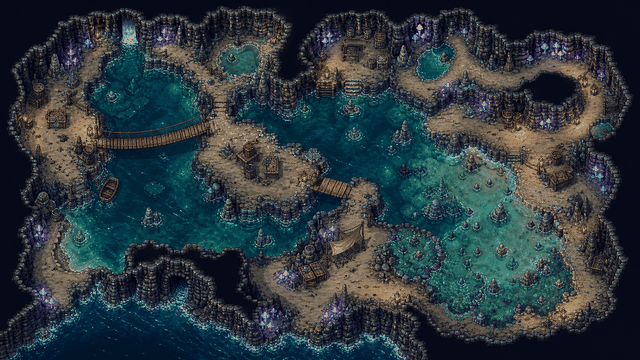
Organic cave spaces that still keep paths and cover understandable for combat and chase scenes.
For campaign prep, prioritize landmarks and readability over micro-detail.
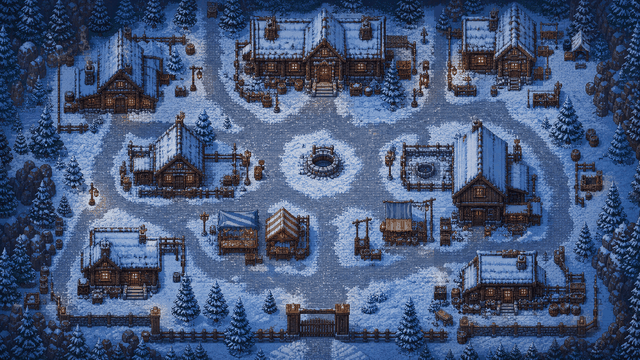
A readable settlement scene for travel, investigation, and outdoor encounters in winter terrain.
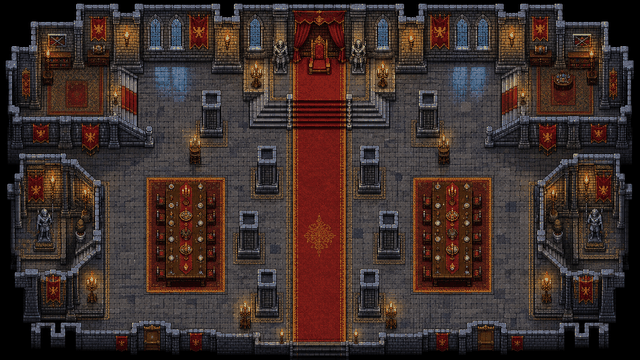
A structured interior layout for infiltration, court scenes, and tactical fights in tight spaces.
Most maps start with broad terrain brushes, then stamps and props for readability, then grid setup for play, then an export for VTT or tabletop use.
Block out floors, water, grass, and cave edges fast so your encounter space exists quickly.
Place doors, furniture, obstacles, and markers. See what’s available on asset packs.
Make the map playable: keep grid clarity, label points of interest, then export an image for your VTT.
Guides: How to make a battle map · Battle map maker · D&D map maker · Pricing
Create an account, open the editor, and build one encounter map you’ll actually run this week. New to build order? Read how to make a battle map or start from the battle map maker overview.