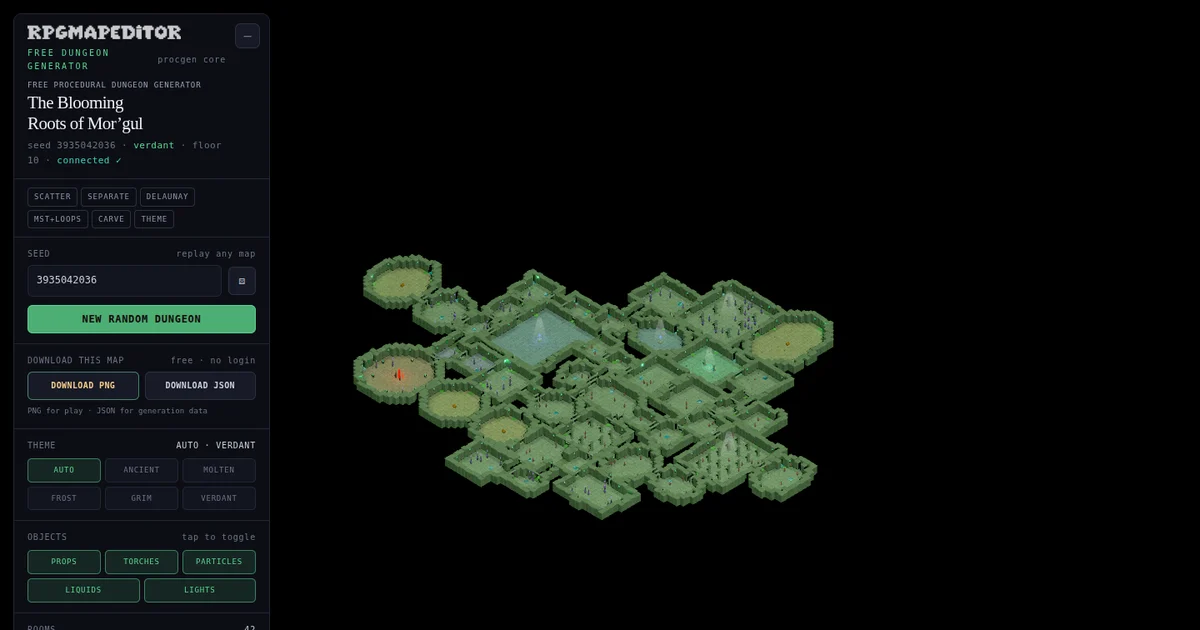
Open the Dungeon Generator to generate and export a dungeon, then use this guide to understand the results.
What is the best free dungeon generator?
The best free dungeon generator is one that produces a playable connected layout, gives every visitor a fresh random seed, lets a GM reproduce good results, and exports a usable file without requiring an account. Our free procedural dungeon generator does all four in the browser, with PNG and structured JSON downloads.
“Best” still depends on the job. A sketch tool may be better when you want to hand-draw every wall. A full battle-map editor is better when you need to reposition individual objects. This generator is built for the moment when you need a surprising dungeon floor now, but still want enough control and information to turn that result into an encounter.
Generate a free dungeon now. It requires no login, sends no map to a server, and starts with a new randomized seed for each page load.
Quick answer: what makes this generator useful?
The generator combines six things that are often separated across different tools:
- Immediate randomness: every new visitor starts from a fresh 32-bit seed instead of seeing the same demo map.
- Reproducibility: enter a saved seed to rebuild its layout and theme settings.
- Connected layouts: a minimum spanning tree joins every selected room before optional loops are added.
- Visible structure: graph and difficulty overlays reveal why the floor is shaped the way it is.
- Usable exports: download a clean PNG for play or JSON containing the seed, rooms, graph, grid, and settings.
- No account gate: generation and both download formats are free.
That combination is the reason we call it our best free dungeon generator for fast tabletop preparation. The claim is specific: it is better for random, inspectable, replayable dungeon generation than a static image picker or a black-box random layout. It is not a replacement for deliberate encounter writing or detailed manual map editing.
How does the procedural dungeon generator work?
The generator does not place random rectangles and hope they form a level. It runs a repeatable pipeline:
- Scatter candidate rooms across a bounded area.
- Separate overlaps while keeping the overall layout compact.
- Use Delaunay triangulation to identify natural neighboring rooms.
- Build a minimum spanning tree so every room is reachable.
- Add a controlled number of loop edges to create route choices.
- Carve rooms and corridors into a tile grid.
- Measure distance from the entrance and assign room roles.
- Dress the result with a seeded visual theme.
Every random decision comes from the seed. This matters because a procedural map becomes much more useful when “random” does not mean “lost forever.” If seed 2874137051 produces the right pacing for your session, keep that number or download its JSON. You can return to it instead of taking a screenshot and trying to reconstruct the settings later.
Step 1: scatter and separate rooms
The first pass creates room rectangles with varied widths and heights, distributed around the center of the dungeon. Variation prevents the floor from feeling like a regular office plan. A separation pass then pushes overlapping rooms apart until they occupy distinct spaces.
This is a useful compromise between a rigid grid and uncontrolled noise. Rooms remain close enough to form a coherent complex, but their sizes and positions differ enough to suggest chambers, junctions, side rooms, and set-piece spaces.
Step 2: find natural connections with Delaunay edges
Connecting every room to every other room would create visual and gameplay clutter. Connecting each room only to its nearest neighbor can create isolated islands or awkward chains. Delaunay triangulation supplies a practical middle layer: it proposes local connections between spatial neighbors without producing all possible edges.
Those proposed edges are not all carved. They are the candidate network from which the guaranteed routes and optional shortcuts are selected.
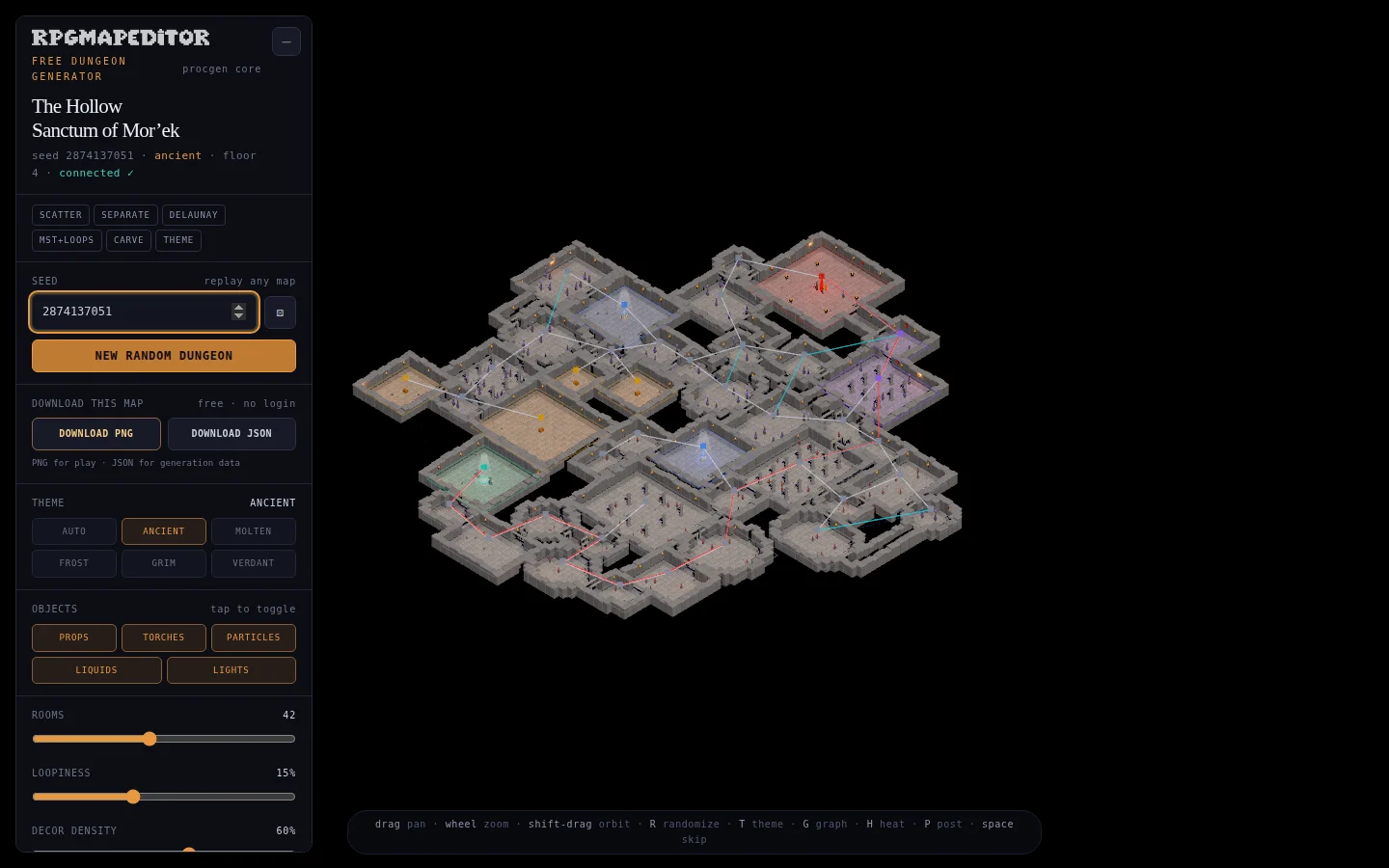
Step 3: guarantee reachability with a minimum spanning tree
A random dungeon that strands its boss room is not useful. The generator reduces the candidate graph to a minimum spanning tree, or MST. In plain language, the MST connects all included rooms without unnecessary duplicate links.
This gives the floor a guaranteed connected backbone. From the entrance, there is a route to every combat room, shrine, treasure room, elite room, and boss room. The tree is then only the starting structure, because a pure tree can make exploration too predictable: every branch is a dead end and every retreat uses the same corridor.
Step 4: add loops for decisions, not noise
The Loopiness control reintroduces selected non-tree edges. These links create alternate paths, shortcuts, flanking opportunities, and routes around dangerous rooms. At zero loopiness, the level reads more like a branching gauntlet. At higher values, it becomes a network with more navigation choices.
This is one of the most valuable controls for a GM because topology changes play. More decoration changes appearance; more loops change decisions. Start around 15 percent for a balanced floor, reduce it for a linear delve, or raise it when exploration and maneuvering should matter.
Step 5: carve the grid and assign dungeon roles
After the graph is selected, rooms and corridors are rasterized into a tile grid. A breadth-first traversal measures graph distance from the entrance. That distance helps assign semantics: entrance, ordinary combat, elite, treasure, shrine, and boss.
The farthest important room can become the boss destination while optional branches can hold rewards or recovery. This does not write an adventure for you, but it gives the layout a legible difficulty direction rather than distributing labels without reference to the route.
Why are randomized and replayable seeds both important?
A generator should surprise a new visitor, but it should not erase a useful result. Those requirements sound contradictory until the seed is treated as part of the map.
On first load, the tool asks the browser’s cryptographic random-number source for a new unsigned 32-bit seed. That avoids the fixed 1337-style demo experience where everyone sees the same dungeon. The New Random Dungeon button and dice control request another seed the same way.
Once chosen, the seed drives the deterministic generation stream. You can type a known number to revisit a map, share that number with another GM, or preserve it inside the JSON export. This produces a practical two-part workflow:
- Explore genuinely random possibilities quickly.
- Lock in and reproduce the one worth developing.
If you also change room count, loopiness, decoration density, or the chosen theme, keep those settings with the seed. The JSON download records them for that reason.
What can you download?
Both export buttons work locally in the browser and require no sign-in.
PNG map download
Choose Download PNG when you want the rendered map image. PNG preserves sharp room edges, lighting, colored liquids, and small decorations. It is the most direct format for a session handout, inspiration board, VTT background, or later crop.
The export uses the live WebGL canvas at the current browser resolution. For a larger file, open the generator in a larger window before downloading. Check grid and token scale in your chosen VTT; the generator creates the map art, but individual VTT platforms have their own import and alignment steps.
JSON generation-data download
Choose Download JSON when you want the dungeon as data. The versioned file includes:
- generator name and format version;
- effective seed and visual theme;
- room, loop, and decoration settings;
- room positions, dimensions, roles, and difficulty;
- graph edges, tree membership, loop membership, entrance, and boss;
- tile-grid dimensions and cell arrays;
- generation statistics.
The JSON is intended for reproducibility, inspection, custom tooling, or future integrations. It is not presented as a universal VTT scene format and does not claim to include Foundry walls, Roll20 lighting, or game-system encounter data.
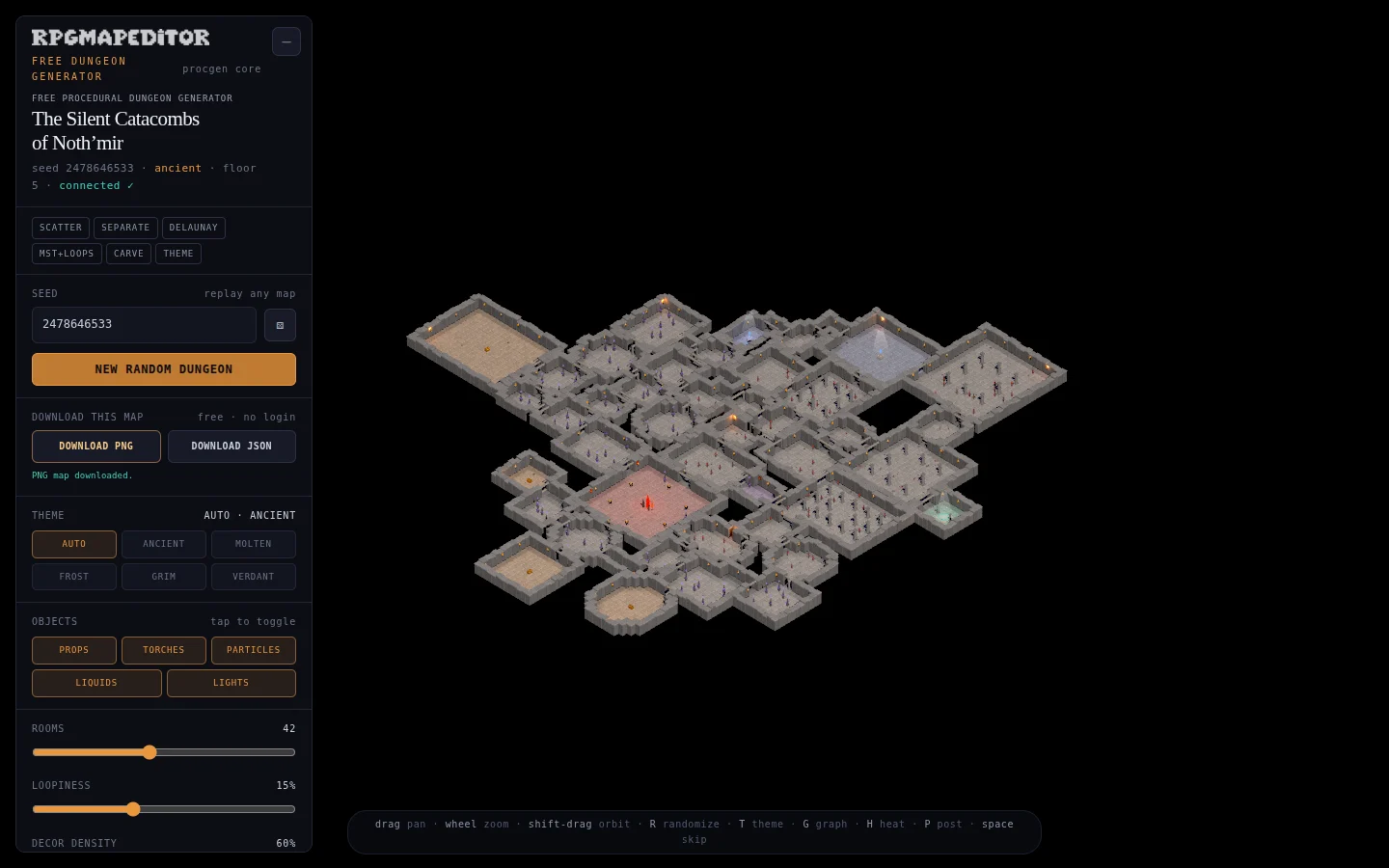
How should a GM use the generated dungeon?
Treat the output as a strong structural draft, then add the meaning that procedural geometry cannot know about your campaign.
1. Generate for topology first
Ignore the props for a moment. Look for a useful critical route, branch count, and number of loops. Ask whether players can choose between danger and distance, whether a retreat can take a different route, and whether optional rooms feel optional.
If the structure is too direct, raise Loopiness. If it is hard to read, reduce room count or loops. The graph overlay makes these decisions visible.
2. Check progression with the heatmap
Turn on the difficulty heatmap and trace the route from the entrance to the deepest room. Decide where the party can rest, learn information, or find a key. A room marked “elite” does not have to contain a stronger creature; it might hold a complex hazard, social confrontation, or timed objective.
The overlay is a prompt for pacing, not a substitute for challenge balancing.
3. Assign purpose before adding detail
Give each important room one sentence of purpose: “flooded archive with the missing route,” “guard post that can sound an alarm,” or “collapsed chapel containing safe water.” Purpose helps determine which visual theme, hazards, cover, doors, and props belong there.
For tactical room design, continue with our guide to dungeon rooms for tactical combat.
4. Export, annotate, or rebuild
Download the PNG when the visual is ready for handoff. Download the JSON whenever the layout itself is valuable. Record encounter notes separately or open RPG Map Editor when you need hands-on authoring rather than generation.
How does it compare with other dungeon-making workflows?
The honest answer is by task:
| Workflow | Best when | Main trade-off |
|---|---|---|
| This procedural generator | You need a connected, random, replayable floor immediately | Individual walls and props are not manually editable here |
| Hand sketching | You already know the exact topology | Slower iteration and no automatic validation |
| Full map editor | You need precise placement and custom encounter art | More setup than one-click generation |
| Static random map gallery | You only need visual inspiration | Results may not expose seeds, structure, or generation data |
| VTT scene builder | You need walls, lights, tokens, and automation in one platform | Layout generation may be secondary or platform-specific |
This generator is better than a black-box random image for auditing connectivity because it exposes the graph. It is better than a fixed demo for discovery because every visitor receives a random seed. It is better than screenshot-only output for reuse because the structured JSON preserves how the floor was generated.
Those are verifiable advantages of this implementation. They are not a claim that one interface is universally best for every mapmaking job.
Which theme should you choose?
The Auto setting derives a theme from the seed, making random generation feel varied without another decision. You can also lock one of five themes:
- Ancient: warm stone, ruins, and restrained magical accents.
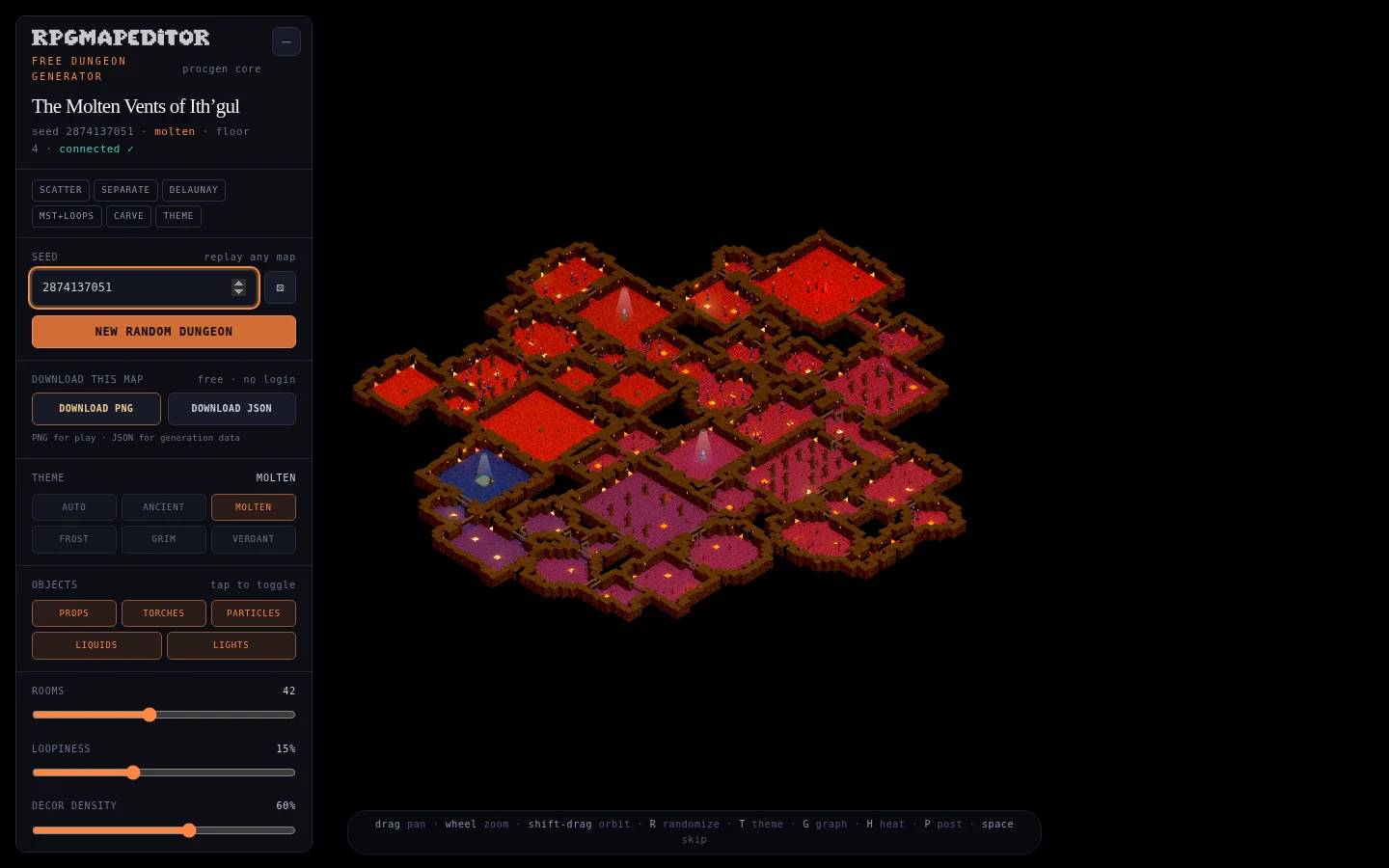
- Molten: lava light, embers, and high-contrast heat.
- Frost: cool ice, snow-like particles, and pale lighting.
- Grim: dark masonry, blood-red accents, and oppressive atmosphere.
- Verdant: mossy color, spores, and an overgrown tone.
Themes change the render dressing, liquids, light color, particles, and props. They do not change the underlying room graph when the other generation settings remain the same. That makes theme switching useful for testing tone without giving up a layout you like.
Can it create a complete adventure automatically?
No—and claiming otherwise would make the tool less useful. It creates a connected spatial structure, room roles, visual atmosphere, and generation data. A complete adventure still needs motives, clues, inhabitants, consequences, encounter balance, accessibility choices, and links to the campaign.
The generator does the computational work it can verify. The GM supplies context and judgment. This division is faster than drawing every first draft by hand while keeping authorship where it belongs.
Is the free dungeon generator suitable for commercial games?
The website lets anyone generate and download maps without an account or payment. Before publishing any generated output in a commercial product, review the current site terms and the requirements of every platform where you distribute it. This guide is not a grant of rights beyond those terms.
The underlying Dungeon Forge generator core was created by Majid Manzarpour and released under the MIT License. RPG Map Editor adapted that core for the public tool, added fresh secure seeds, product integration, downloadable PNG and JSON outputs, live-site metadata, verification, and this documentation. The attribution is retained with the source.
Does it work on phones and tablets?
The interface is responsive and touch targets are sized for compact screens. On a phone, collapse the control panel when you want more room to inspect the dungeon. A desktop or tablet still gives you a larger export and more comfortable access to the full control set.
Because the scene is rendered with WebGL, performance depends on the device and the selected room and decoration counts. If an older mobile device feels slow, reduce rooms or decoration density and disable post effects.
Final checklist for a useful generated dungeon
Before keeping a result, check:
- Every important room is reachable in the graph overlay.
- The critical path fits the intended session length.
- Loop count creates choices without making navigation unreadable.
- Difficulty progression supports the story you want to tell.
- Entrance, boss, treasure, and recovery spaces have clear purposes.
- The chosen theme matches the encounter tone.
- You saved the seed and settings, preferably with the JSON file.
- The PNG dimensions and grid alignment fit the intended play surface.
The free procedural dungeon generator is available now. Open it, generate a fresh map, inspect the graph, test the heatmap, and download both formats when the result is worth keeping.