
Best for / Not best for
Best for: DMs and GMs who need a practical RPGMapEditor workflow for one map-making task: choose the right size, build the playable space, save the source project, and export a PNG for DnD, TTRPG, VTT, Roll20, Foundry VTT, print, or sharing.
Not best for: generic map theory, hidden keyword pages, fake popularity claims, or promises that RPG Map Editor exports Roll20 dynamic lighting, native Foundry scene JSON, walls, doors, tokens, or automation data.
Treat the exported PNG as Foundry scene art
Foundry VTT works best when the scene background has predictable dimensions and a clear grid plan. Export from RPG Map Editor, create a scene in Foundry, set the grid size, then adjust the background until art and grid agree.
- Export PNG from the finished map.
- Create a Foundry scene with matching width and height.
- Set the grid before adding walls or lights.
Build Foundry-specific data inside Foundry
Walls, doors, lights, sounds, regions, and tokens should be authored in Foundry after the image is placed. This keeps the editor focused on visual map creation and leaves system-specific automation in the VTT.
- Add walls and doors after grid alignment.
- Preview as a player before the session.
- Keep the source map for future edits.
Balance crisp art with scene load time
Foundry can handle detailed scenes, but huge images still cost memory and bandwidth. Crop unused margins and avoid exporting massive maps for encounters that only use a small room.
- Use the smallest footprint that supports play.
- Compress final assets if your host is bandwidth-limited.
- Split very large dungeons into encounter-sized scenes.
How to do it in RPGMapEditor
Open RPGMapEditor, start from a blank map or demo, paint the terrain that defines movement, place props only where they affect play, keep the grid readable, save the map when you need to return, then export a PNG for Roll20, Foundry VTT, print, or sharing.
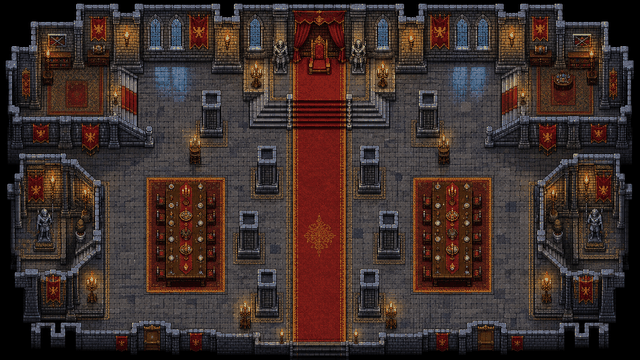
Use the screenshot or map example above as proof of the workflow: the article should show an actual editor-created map, not a stock fantasy image.
Use this article in the editor
Turn the guide into one map: pick a grid size, build the example, save it, and export once.