
Best for / Not best for
Best for: DMs and GMs who need a practical RPGMapEditor workflow for one map-making task: choose the right size, build the playable space, save the source project, and export a PNG for DnD, TTRPG, VTT, Roll20, Foundry VTT, print, or sharing.
Not best for: generic map theory, hidden keyword pages, fake popularity claims, or promises that RPG Map Editor exports Roll20 dynamic lighting, native Foundry scene JSON, walls, doors, tokens, or automation data.
Squares are simple for rooms, doors, and most D&D play
Square grids are familiar, easy to count, and line up naturally with buildings, corridors, and most dungeon layouts. They are usually the safest choice for D&D-style interiors and tactical battle maps.
- Best for rooms, streets, dungeons, and buildings.
- Fast range counting for many tables.
- Easy export alignment in common VTTs.
Hexes help with natural movement and open terrain
Hex grids avoid diagonal movement questions and can feel better for wilderness, overland travel, and outdoor skirmishes where movement radiates in six directions instead of along corridors.
- Best for wilderness, hexcrawls, and open battlefields.
- Cleaner distance around circular areas.
- Less natural for rectangular rooms and doors.
Pick the grid your table will use inside the VTT
The right grid is the one your players understand quickly. If the VTT will render the final grid, export art that gives the platform room to draw clean lines without fighting a second embedded grid.
- Use square for most encounter interiors.
- Use hex for travel or open terrain when your rules support it.
- Test alignment before session day.
How to do it in RPGMapEditor
Open RPGMapEditor, start from a blank map or demo, paint the terrain that defines movement, place props only where they affect play, keep the grid readable, save the map when you need to return, then export a PNG for Roll20, Foundry VTT, print, or sharing.
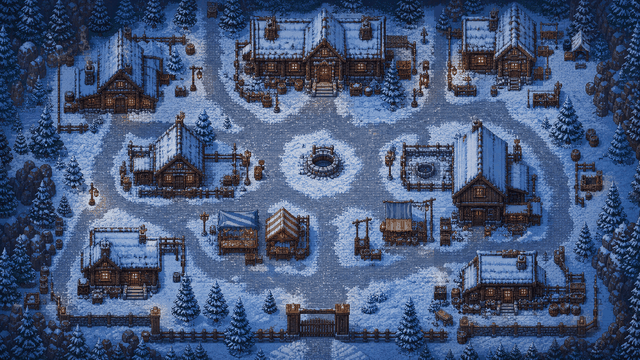
Use the screenshot or map example above as proof of the workflow: the article should show an actual editor-created map, not a stock fantasy image.
Use this article in the editor
Turn the guide into one map: pick a grid size, build the example, save it, and export once.