
Roll20 map-layer PNGs
Create the map image in RPGMapEditor.com, export PNG, upload it to Roll20, and place it on the map layer.
Create a battle map in RPGMapEditor.com, export a PNG, and upload it to Roll20 as map-layer art. The workflow is image handoff plus Roll20 grid alignment, not a direct Roll20 integration.
Use this page for square counts, PNG export expectations, and practical alignment steps before adding tokens, fog, lighting, or sheets inside Roll20.
RPGMapEditor.com creates PNG battle maps that can be uploaded to Roll20 as map-layer art. It is a PNG workflow with Roll20 grid alignment, not a direct Roll20 integration.
Editor access requires an account and a paid plan: the Online subscription or the €14.99 one-time Offline Edition. Compare plans.
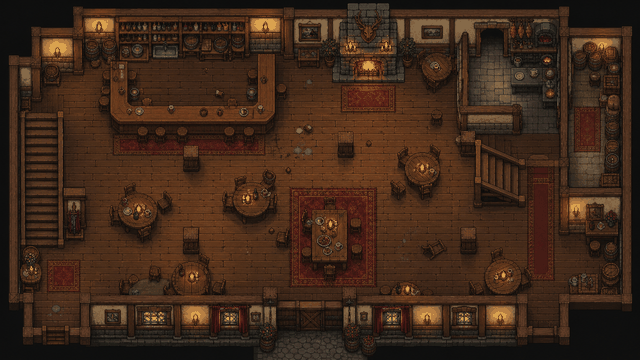
RPGMapEditor.com is independent and is not affiliated with or endorsed by Roll20.
Use RPGMapEditor.com when the result needs to become an actual tabletop map: opened in the editor, edited around play, saved for later, exported as PNG, and reused when the campaign changes direction.
Create the map image in RPGMapEditor.com, export PNG, upload it to Roll20, and place it on the map layer.
Pick columns, rows, and pixels per square before export so Roll20 page dimensions and image scaling line up.
Use terrain and props to make walls, doors, cover, hazards, and movement lanes obvious at normal Roll20 zoom.
RPGMapEditor.com exports the PNG. Roll20 handles tokens, fog, dynamic lighting, sheets, and game automation.
Open the editor, make one focused encounter-scale map, save it, then export once to see whether the workflow fits your table.
The same six steps whether you are building a dungeon, a wilderness ambush, or a tavern brawl. The details change by map type; the workflow does not.
Pick columns, rows, and grid scale from the encounter footprint before decorating.
Block walkable ground, walls, roads, rooms, water, caves, or outdoor edges first.
Place cover, furniture, trees, rocks, doors, hazards, and landmarks only where they help play.
Keep movement readable and add labels only when they clarify the session.
Save the editable source map to return later. Editor access requires a paid subscription.
Export a PNG for Roll20, Foundry VTT, print, projection, or campaign notes.
Pick a map size, block out the terrain, and you will have a playable layout in minutes. Save or export it when the tactical read looks right.
Use this table to decide whether the current RPGMapEditor.com workflow matches the map job before investing more prep time.
| Factor | RPGMapEditor.com | Tradeoff |
|---|---|---|
| Map art | Creates visual map art and exports PNG | The VTT runs tokens, sheets, fog, lighting, walls, and automation |
| Grid setup | Helps plan square count and visual grid readability | Roll20 or Foundry handles final grid alignment after image upload |
| Advanced export | Universal VTT, walls, doors, and lighting are not shipped today | Some tools may offer richer packages; verify official support before switching |
RPGMapEditor.com is built for playable encounter maps. If the job below is not yours, a different tool will serve you better.
Roll20 PNG upload workflow RPGMapEditor.com prepares the flat image. Roll20 handles the page, map layer, grid overlay, fog, dynamic lighting, tokens, and play features.
Export a PNG, import it into your usual table or VTT setup, and check grid readability before a session depends on it.
The questions DMs usually ask before starting a map like this.
Yes. Create the battle map in RPG Map Editor, export a PNG, upload it to Roll20 as a map-layer image, and align Roll20's grid to your square count and pixel dimensions.
No. The current workflow is PNG export and manual Roll20 import. Dynamic lighting, walls, fog, tokens, and character automation stay inside Roll20.
Pick the square count first, then multiply by pixels per square. Common starting points are 70 or 140 pixels per square, but always test alignment in Roll20 before game night.
No. RPG Map Editor is independent and is not affiliated with or endorsed by Roll20.
The current VTT handoff is PNG export. Use the exported image as Roll20 map-layer art or a Foundry VTT scene background.
No. Export a PNG from RPGMapEditor.com, then upload and align the image inside Roll20.
No. Add walls, doors, lights, regions, tokens, and automation manually inside Foundry after PNG import.
Yes. Export PNG, create a Foundry scene, set the image as the background, then configure grid size and origin.
Yes. Upload the PNG to the map layer, set the Roll20 page dimensions, and align the Roll20 grid to the image.
Choose square count first, then export at a consistent pixels-per-square value so the VTT grid can match the image.
No. Treat Universal VTT, walls, doors, and lighting export as planned unless the shipped editor exposes those options.
PNG is enough for the visual map background. Tokens, fog, lighting, walls, and automation remain in the VTT.
Yes. Export PNG and print at the size your table needs after checking grid scale and image readability.
Import one exported PNG into your actual VTT, check grid alignment at multiple corners, and verify text and props remain readable.
Open the editor, build the encounter you were planning, save it, and export a PNG when it is ready for your table.